How it works
From SKU list to category totals
Every number in your report traces back to a SKU, a component and a source.
SKUs
Every package, component by component
Import SKUs from a CSV or add them by hand. Record each bottle, cap, label and shipper with its weight in grams and where the number came from.
Categories
Mapped to each state's CAA categories
Pick the Oregon and Colorado reporting category for each component from CAA's published 2027 lists. SKU Weight flags anything unmapped.
Suppliers
Ask suppliers only for what's missing
Send a secure link that asks for the exact weights you lack. Suppliers answer without an account, and each answer is logged with their name and date.
Checks
Gaps found before May, not in May
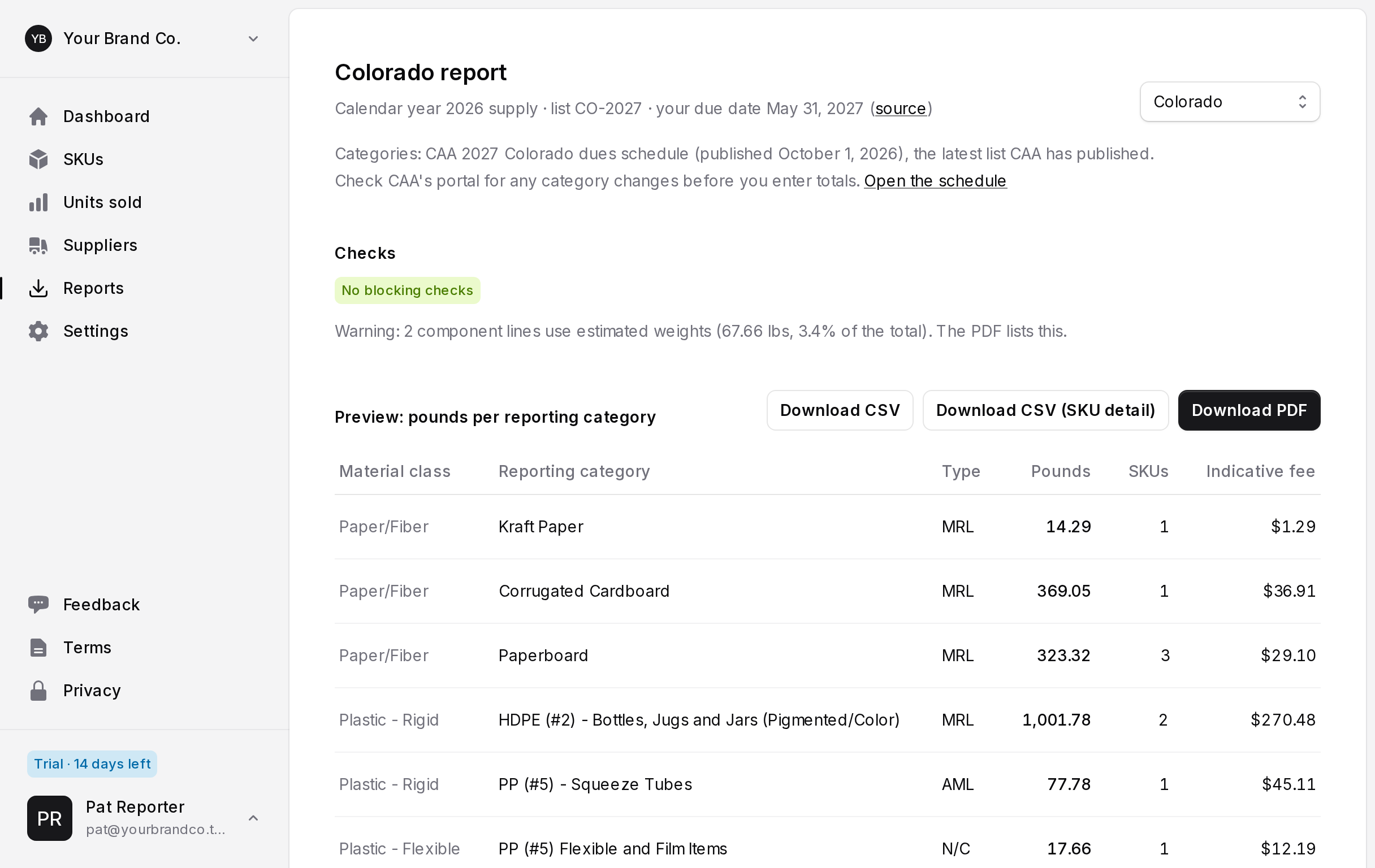
Missing weights, unmapped categories and SKUs without units sold are listed before you export.
Report
Totals and a backup in one download
Download pounds per reporting category as CSV and a PDF with your method statement and SKU-level detail.
Your first afternoon
Set up once, reuse your packaging data
Step 1
Bring your SKUs
Upload a CSV of SKUs and components, or start from the sample workspace.
Step 2
Send supplier links
One link per supplier, listing only the weights you need. Links expire after 14 days.
Step 3
Add units sold per state
Enter or import units shipped into Oregon and Colorado for the calendar year.
Step 4
Download and enter in CAA's portal
Copy the category totals into CAA's Producer Portal and keep the PDF backup on file.
Starter
For brands with up to 500 SKUs.
USD
per month
Unlimited team members
Included:
- Up to 500 SKUs
- Oregon and Colorado
- Supplier links and change history
- CSV and PDF exports
Growth
For brands with up to 5,000 SKUs.
USD
per month
Unlimited team members
Included:
- Up to 5,000 SKUs
- Oregon and Colorado
- Supplier links and change history
- CSV and PDF exports
Incumbent anchor
PackBOM Starter / Growth
Prices as published on packbom.com, checked November 7, 2026.
USD
per month
3–10 seats
Published plan facts:
- 250 SKUs and 3 seats at $299
- 2,000 SKUs and 10 seats at $749
- Audit trail on the $749 plan
- Implementation packages from $2,500
Frequently asked questions
- Does SKU Weight file my report with CAA?
- No. SKU Weight calculates your totals per reporting category and gives you a CSV and PDF. You enter the totals in CAA's Producer Portal and keep the files as your backup.
- Which states and categories does it cover?
- Oregon and Colorado, using the reporting categories in CAA's 2027 Oregon fee schedule and 2027 Colorado dues schedule, both published October 1, 2026. Other states are not supported.
- Does it tell me whether I'm a producer or exempt?
- No. Producer status and exemptions are your decision. The report shows your total weight per state in pounds, metric tons and short tons, next to the statutory thresholds, with links to the statutes.
- What do suppliers see?
- A page listing only the components you asked about, with fields for weight in grams and a note. They need no account. Links expire after 14 days, and you can revoke one at any time.
- What happens when my trial ends?
- You can still view your data and download every report. Adding or editing data needs a subscription. Subscribe or cancel from Settings at any time. There are no setup fees and no contract.
- Can my team use the same workspace?
- Yes. Invite as many teammates as you need with a one-time link. Every change records who made it.